To create a template or checklist, start by creating a project or action item that will become the model.
Then, use the view changer to switch views and lay out the steps:
For processes, use the process (columns) view.
For checklists, use the organizer (outline) view.
Tip: You can find the view changer inside of any item card, inside a project, or on the project dashboard.
Once all steps are listed out, click the cog in the menu at the bottom of the screen, hover over Organize, and click Save As Template.
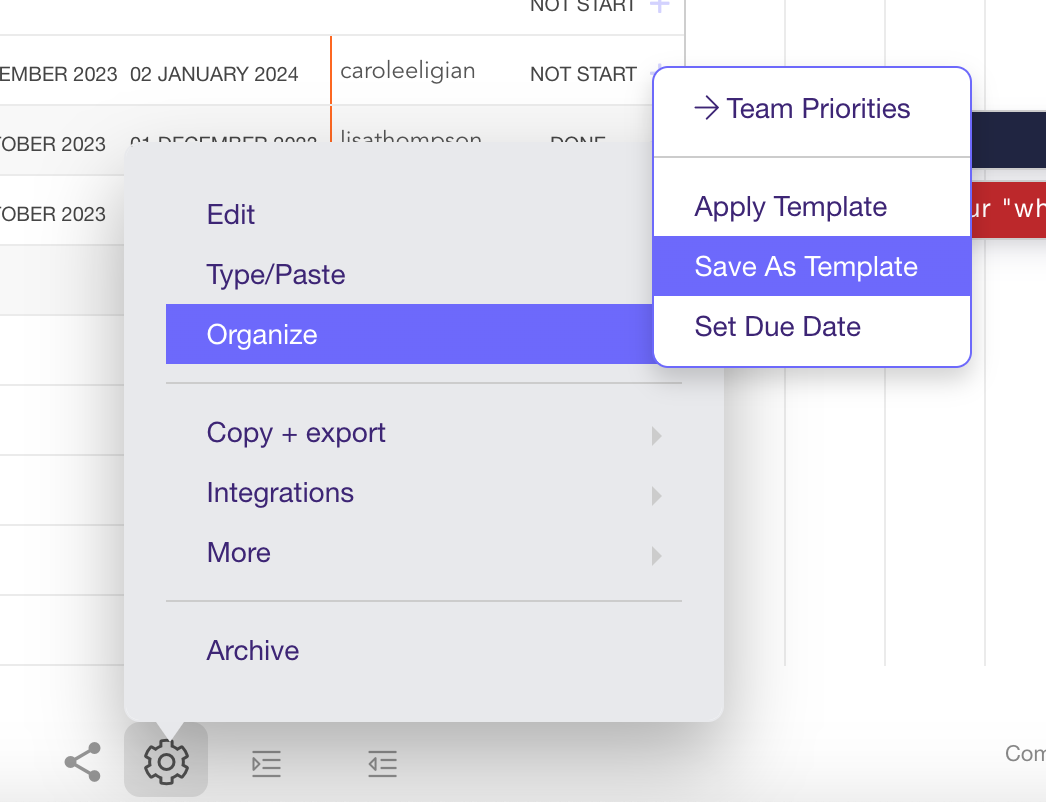
Follow the prompts to complete your template / checklist.
Related
Apply your template to something you've already created
Create something new from a template